
Commercial loan review
Business financials spreadthe way your committee reads them.
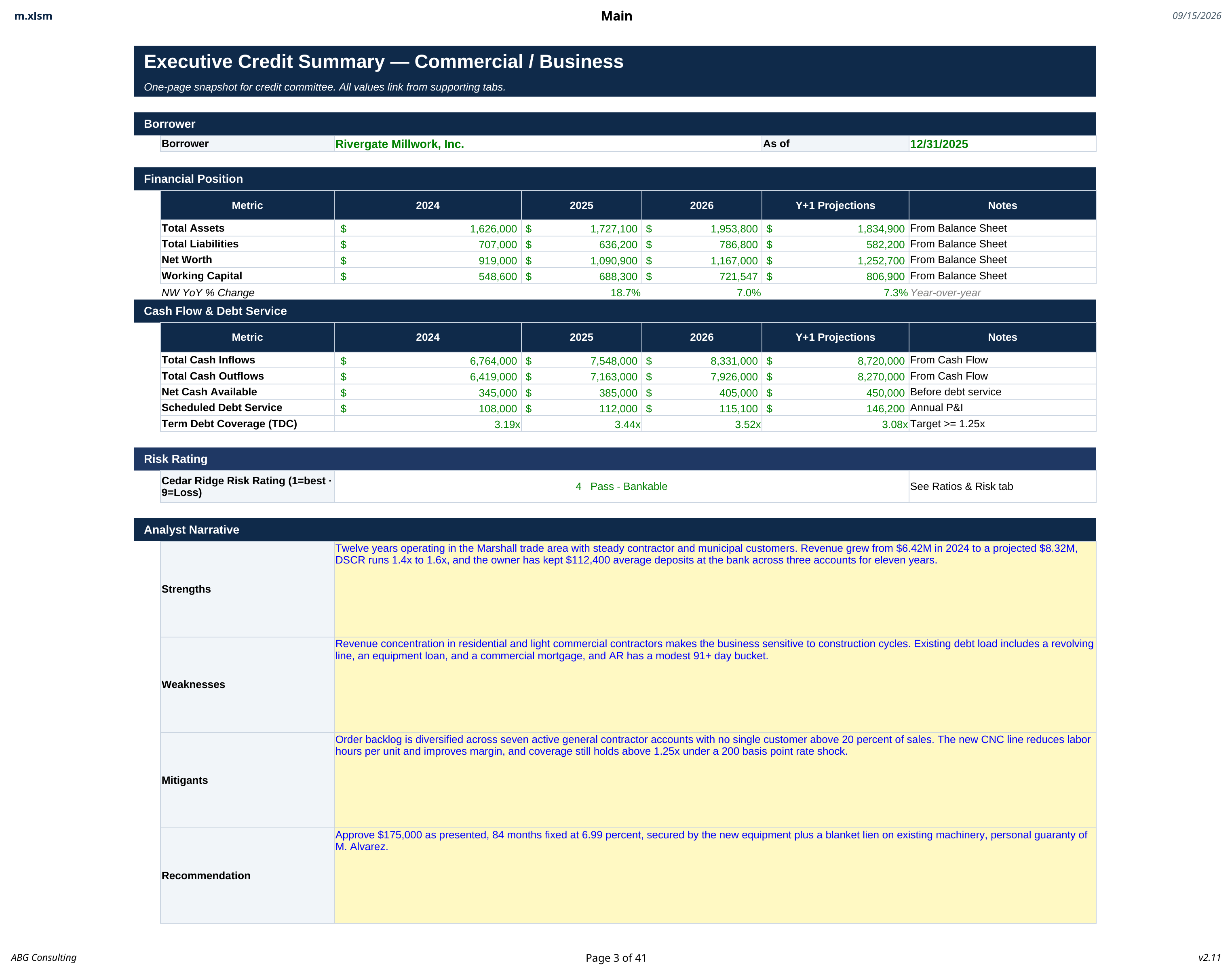
Ironwood takes the business statement and the tax return and produces the full commercial credit file: receivable aging, inventory position, cash flow, pro forma balance sheet, and a graded recommendation.
- Working capitalAging and inventory feed the position
- Pro formaPost loan balance sheet on the page
- Your limitsGrading follows your policy tab
What this review covers
Receivables aged, not summarized
Schedule A ages the receivable book by bucket and by customer so concentration and slow pay show up before the memo is written.
Inventory that carries a value
Inventory is scheduled by category with the bank's advance rate applied, so the borrowing base is a defensible number.
Pro forma before the vote
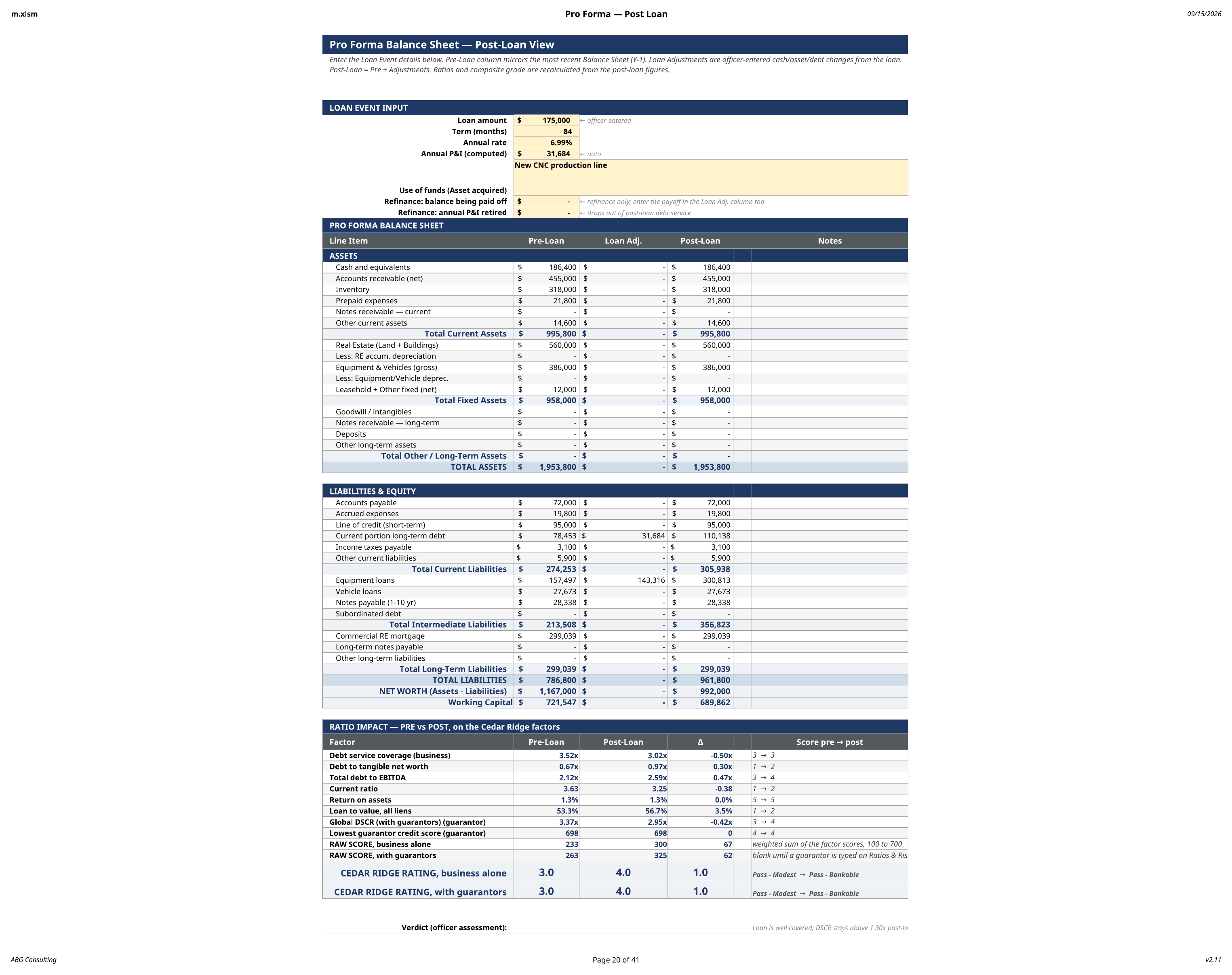
The post loan balance sheet is produced from the request itself, so committee sees the position the approval creates.
The roll up
Company, guarantor, and affiliates on one line
The relationship is added up in the open, so the number the committee sees can be traced back to the file it came from.
Spread from the business return
From the personal return and PFS
Rolled in at the ownership share
Charged against the relationship
What the whole relationship can service
Illustration on sample figures. The workbook builds this roll up from the files you import.
Inside a commercial file
From the statement to the recommendation
Step one
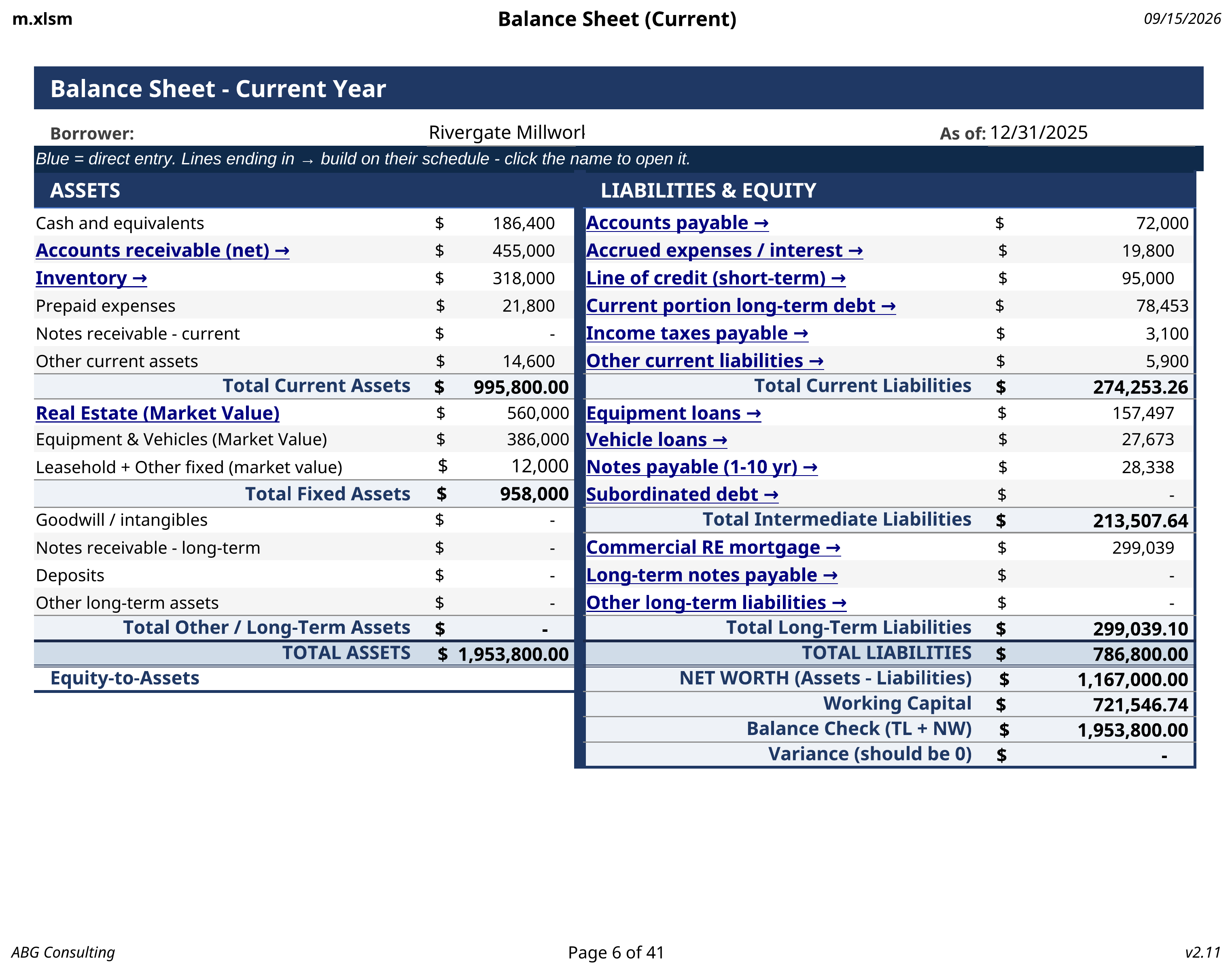
The balance sheet is built from schedules
Current and non-current assets, trade debt, notes, and equity land in place as the supporting schedules populate. Nothing is typed twice.
Step two
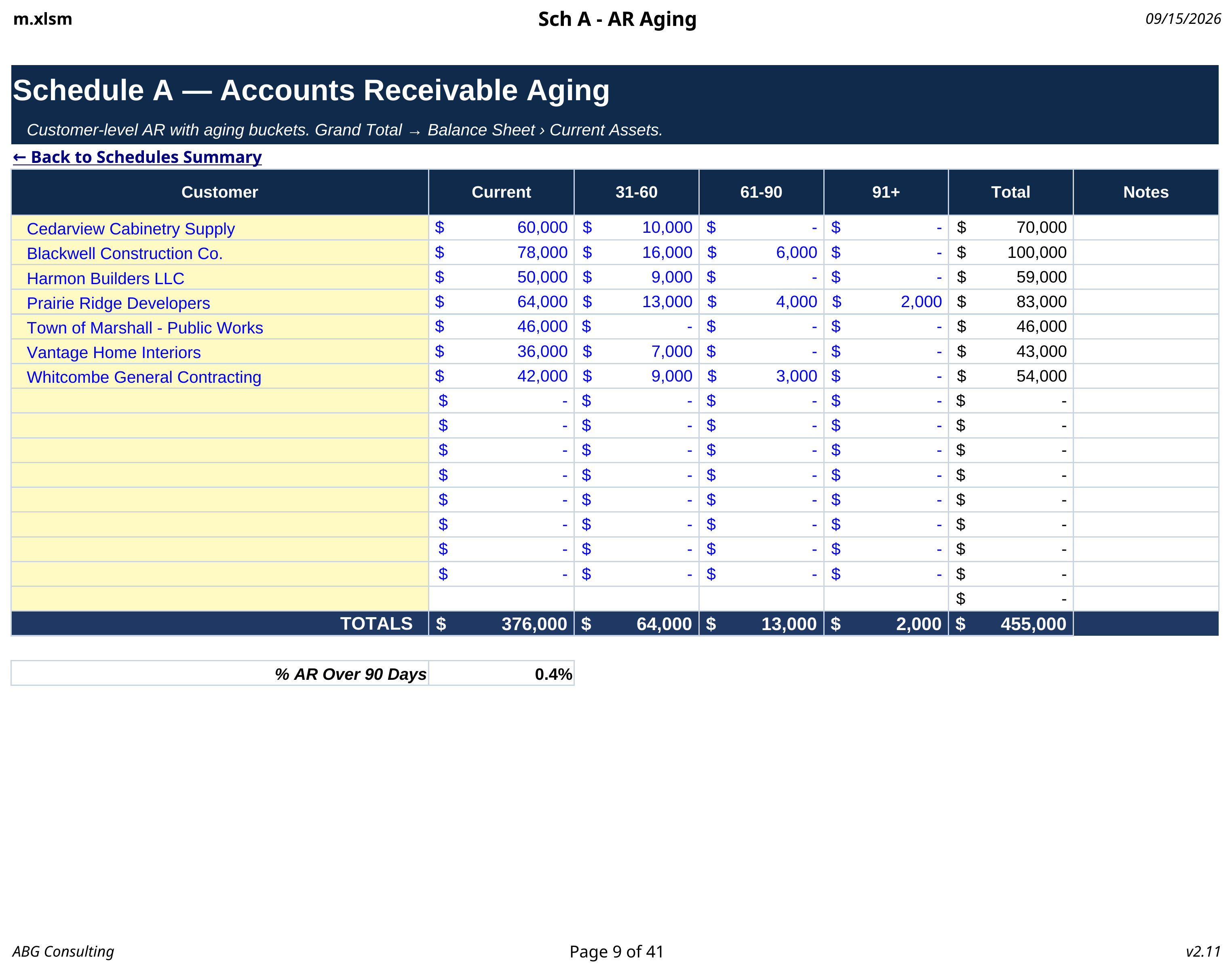
Receivables get aged by bucket
Schedule A splits the book into aging buckets and flags concentration by customer. The eligible balance flows into the working capital position.
Step three
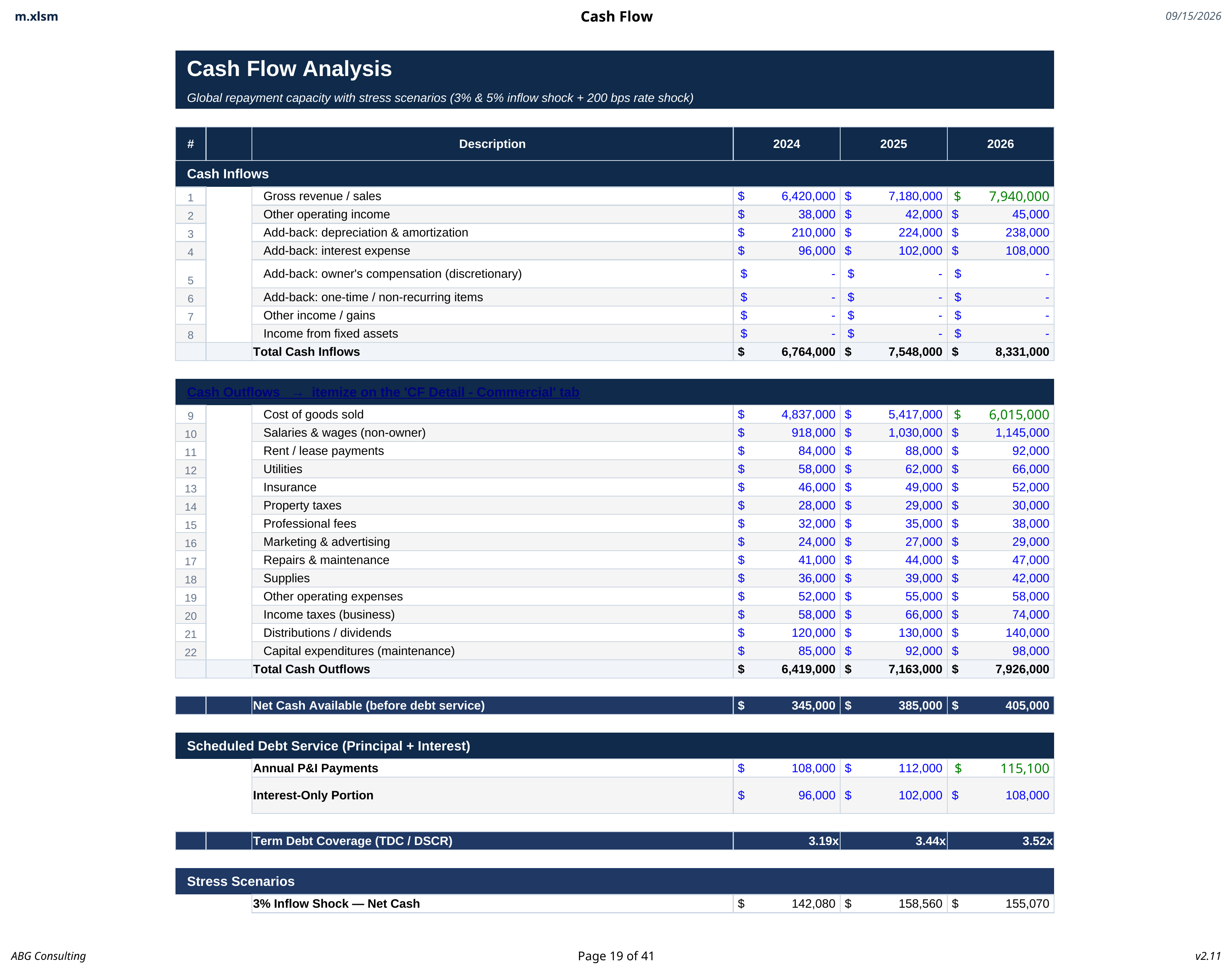
Cash flow and coverage are spread
Operating cash flow is built from the return, with add-backs shown as choices rather than buried in a formula. Coverage is calculated against total debt service.
Step four
The pro forma shows the position after the loan
The request is applied to the balance sheet so leverage, working capital, and coverage are reported on a post loan basis before anyone votes.
The index
What the commercial workbook contains
- 01
Executive credit summary
Request, borrower, grade, and recommendation on one page.
- 02
Current balance sheet
Fed by the schedules, not typed by hand.
- 03
Schedules summary
An index with totals so no schedule is left half filled.
- 04
Accounts receivable aging
Buckets, concentration, and eligible balance.
- 05
Inventory schedule
Categories with advance rates applied.
- 06
Tax return spreading
Every line assigned a treatment you can see.
- 07
Cash flow analysis
Operating cash flow and total debt service coverage.
- 08
Pro forma balance sheet
Leverage and working capital after the loan is booked.
- 09
Credit memo
Generated from the spread with the policy stamp on the document.
Also in the suite