
Credit analysis for community banks
One form from your borrower.Minutes to a finished credit memo.
- One statement, spread automatically
- Advanced tax extractor for all returns
- Risk graded against your own policy limits
- Committee ready memo in the same sitting
- OfflineRuns on your own file server
- User friendlyWorks the way your team already does
- No monthly feeOne license, no recurring billing
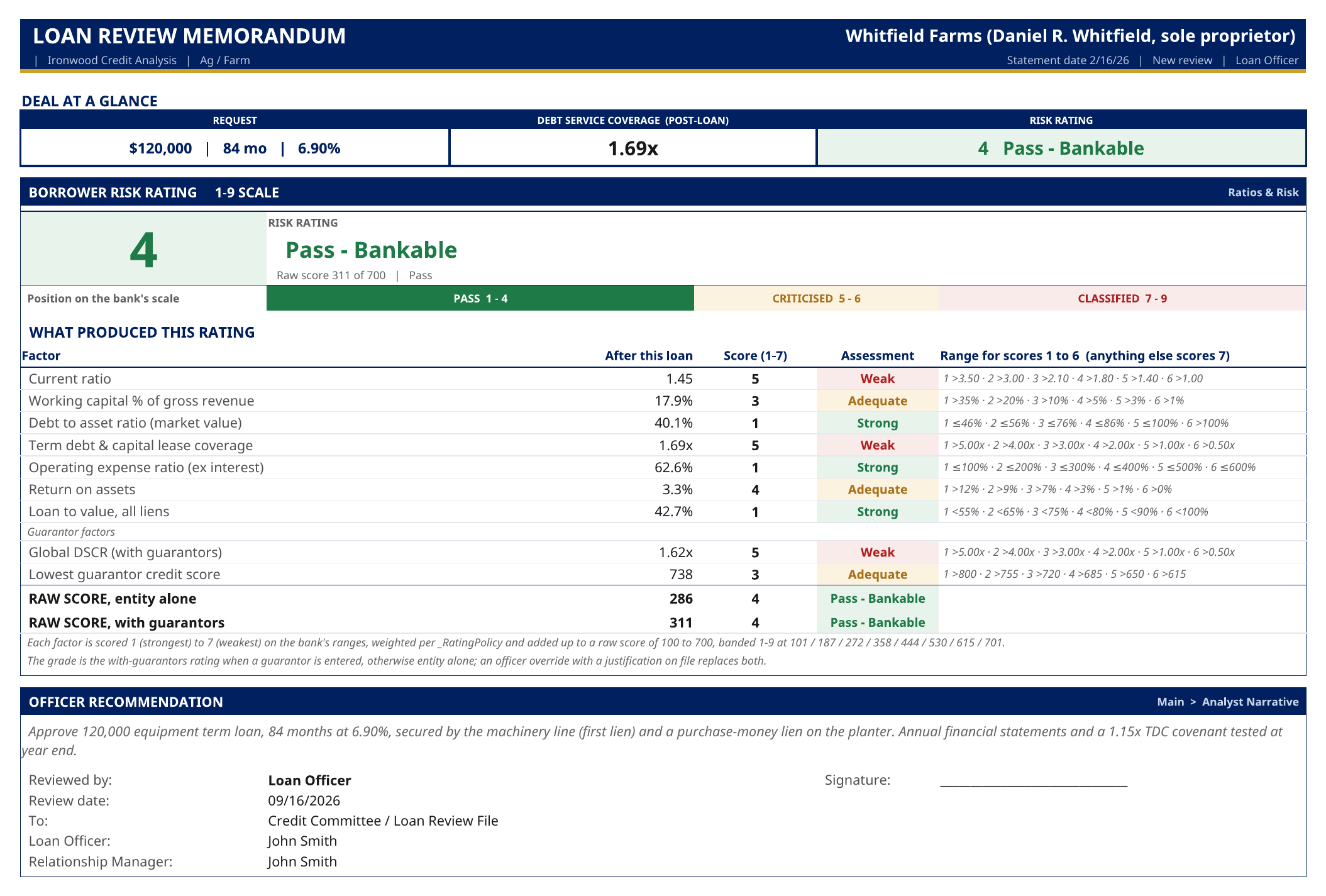
Loan review
Four reviews. One standard.
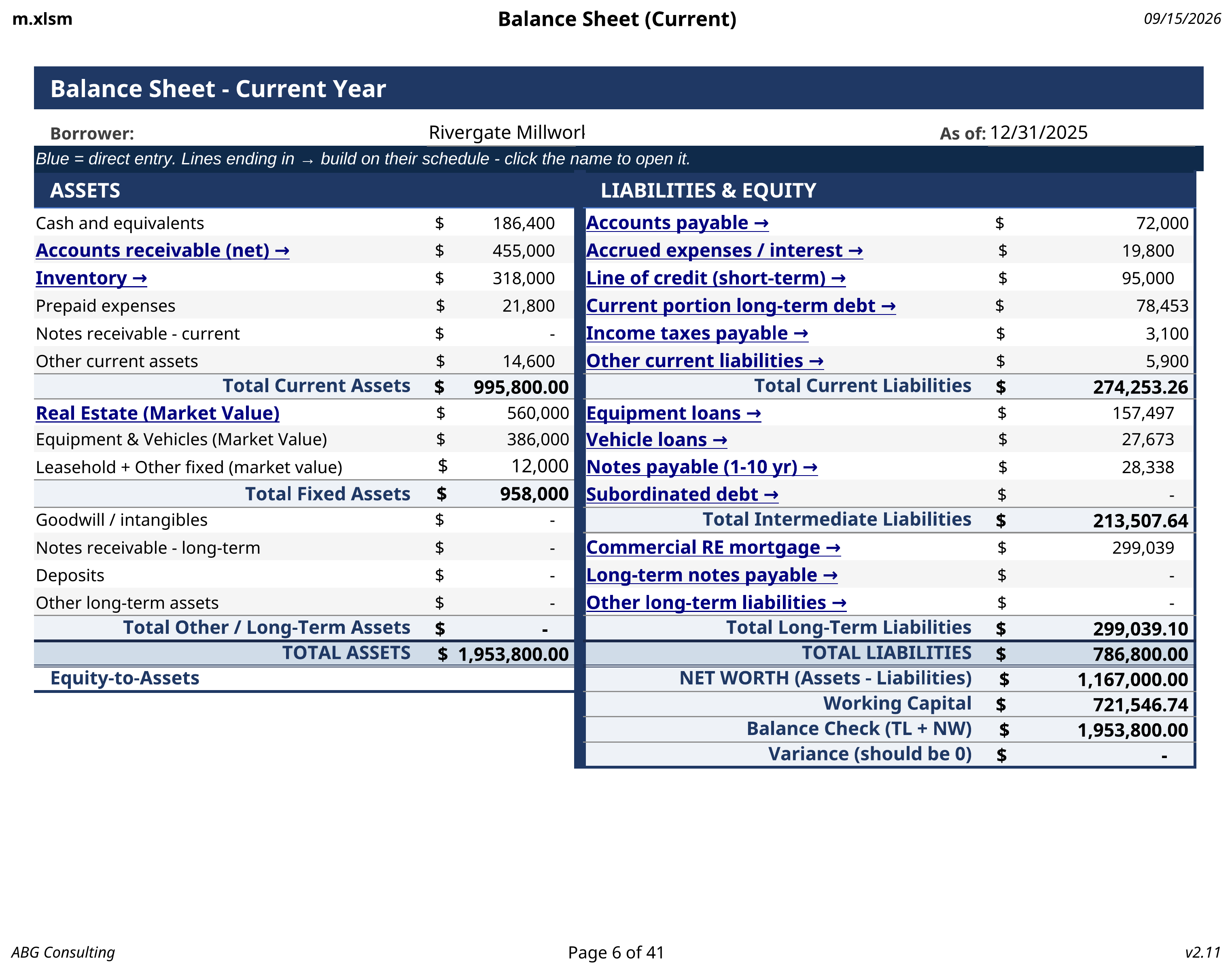
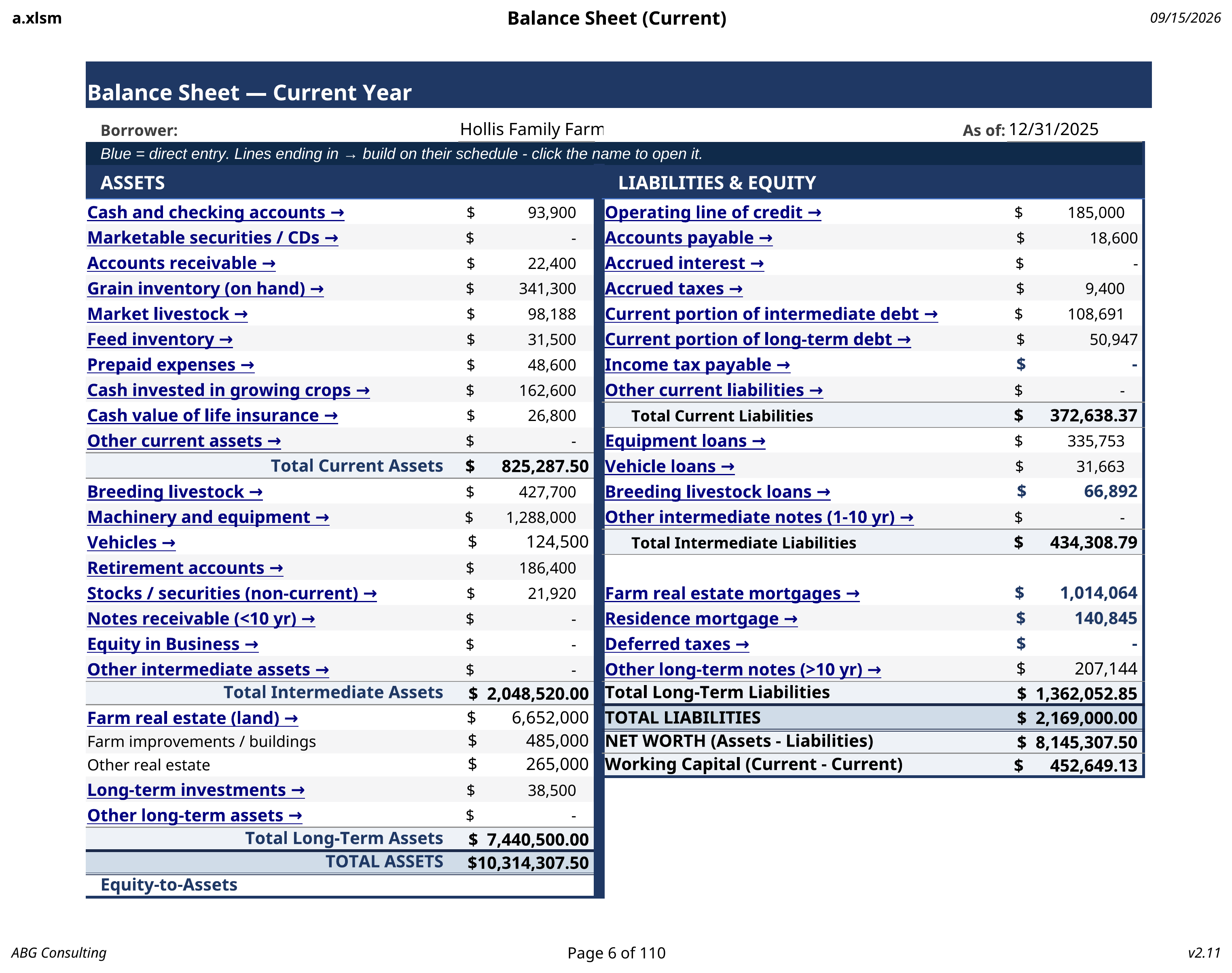
A farm operator, a retail business, and a personal borrower do not hold value the same way. Each review asks for what that borrower actually has, then grades all of them against the designed policy tab.
Personal balance sheet, schedules, and coverage graded against the same policy limits.
Open the consumer review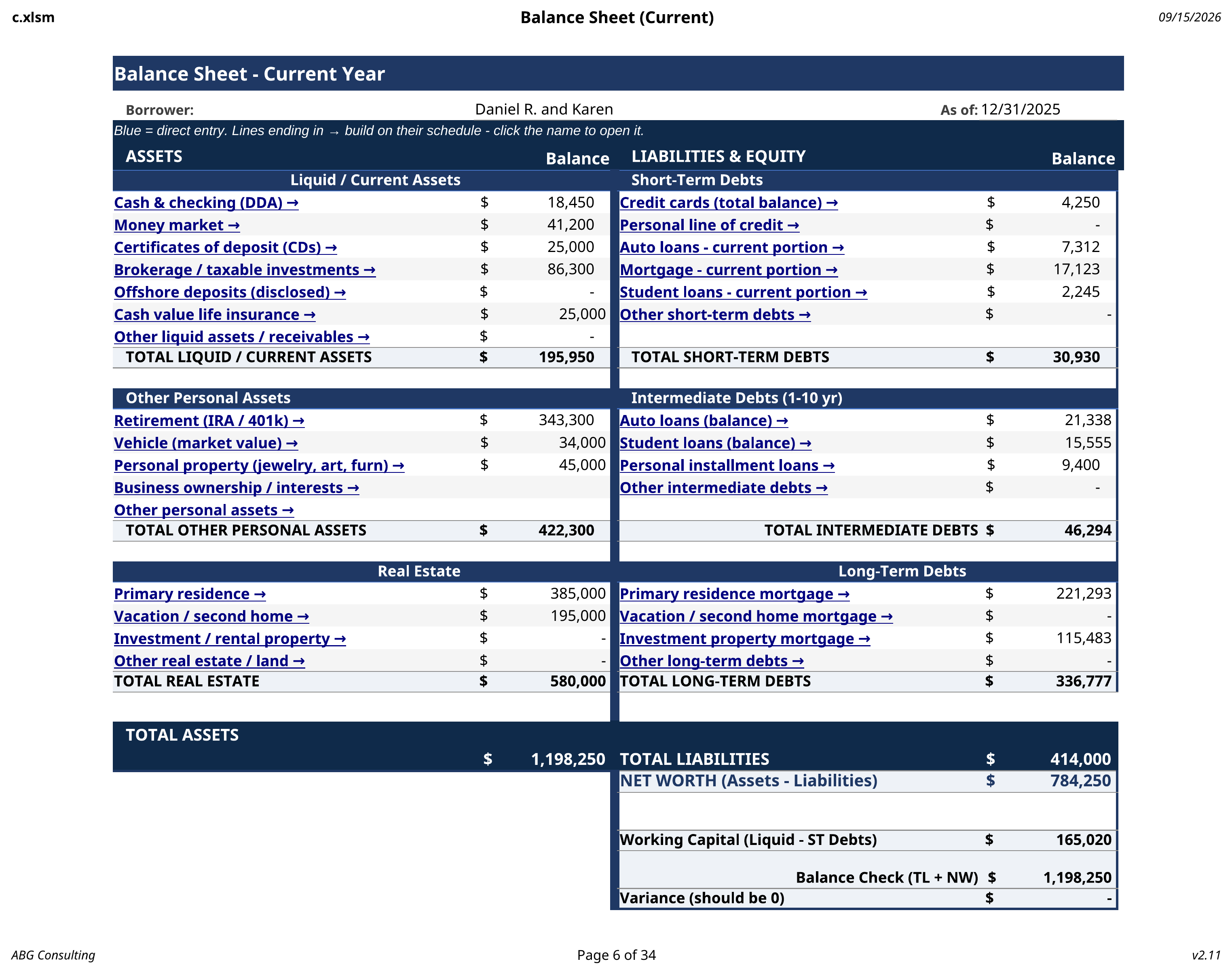
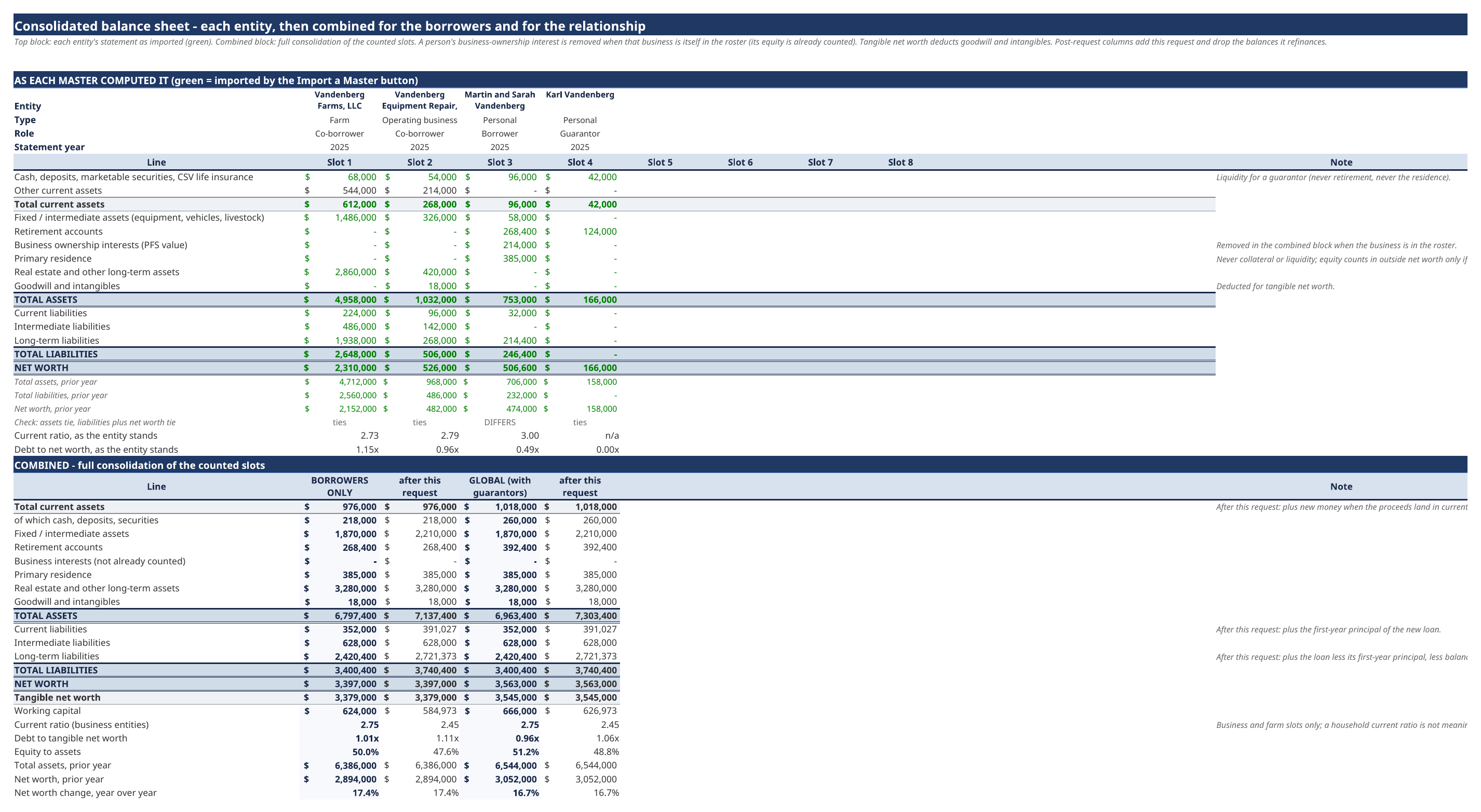
The sequence
From borrower statement to finished memo
One
The borrower fills one statement
It opens in a browser or in Excel, runs offline, and totals as they type. No portal, no login, and nothing uploaded to a server.
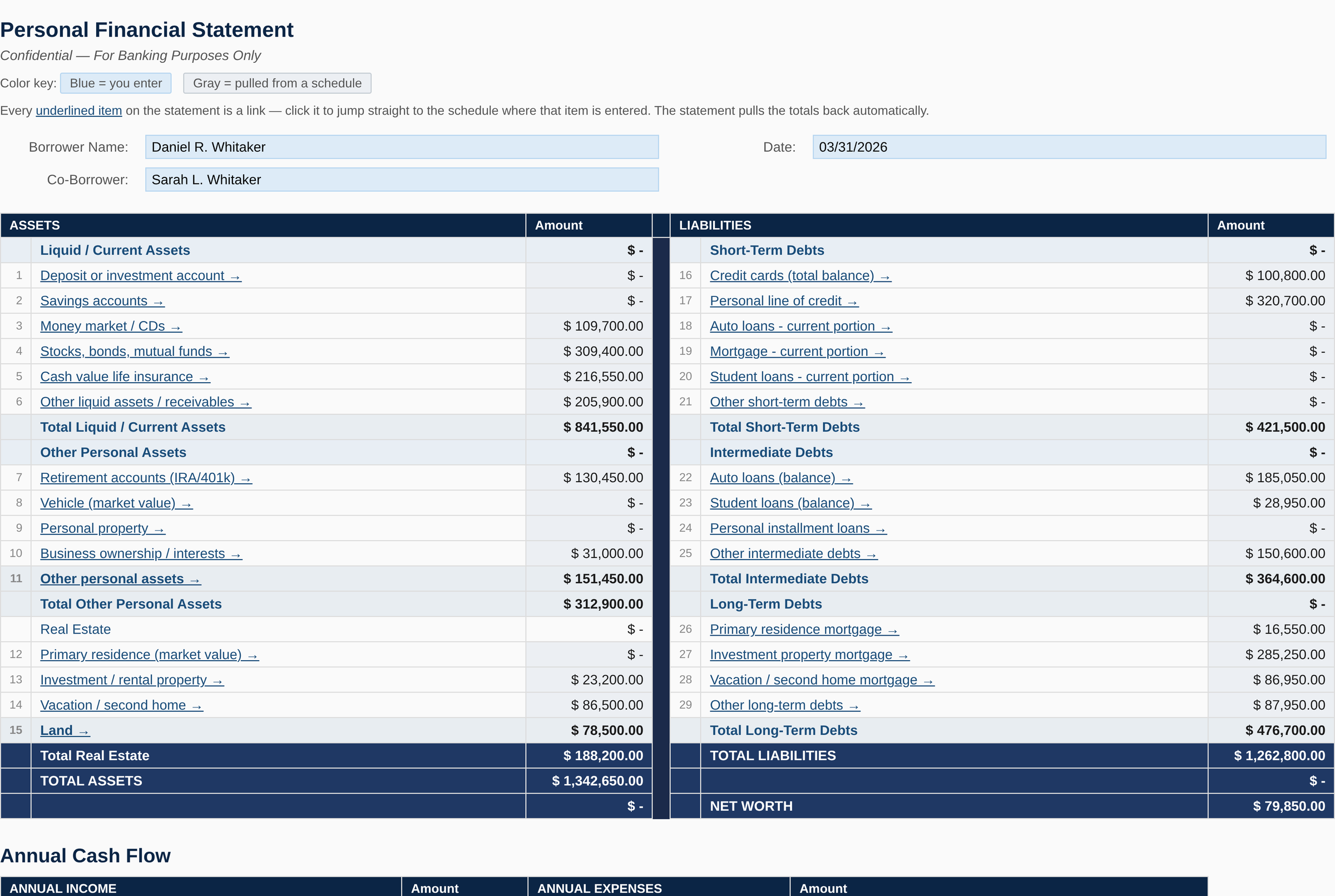
Two
One click imports their answers
The import maps every response into the right cells across the schedules. Balance sheet, debts, income, and fixed assets populate without re-typing.
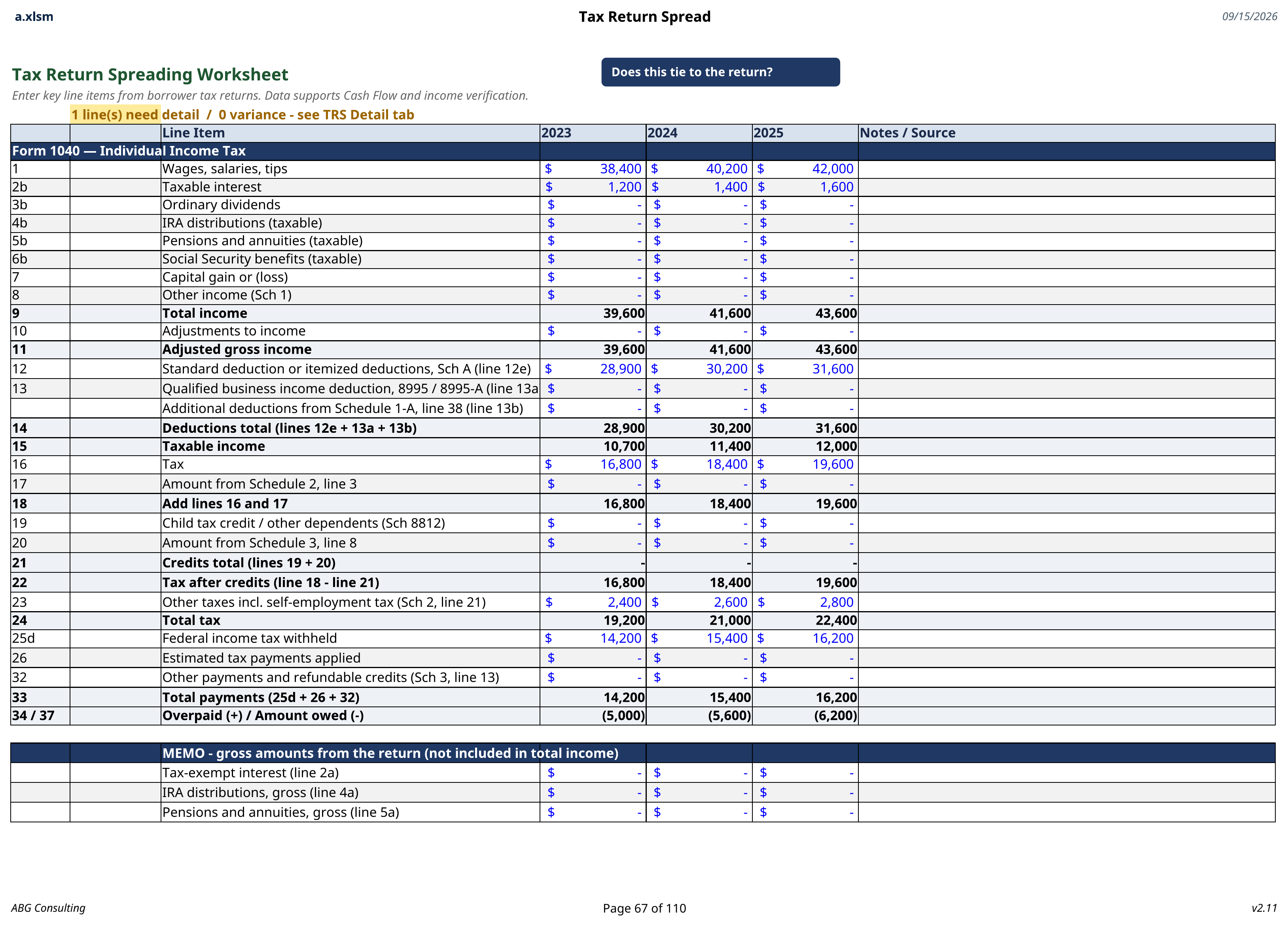
Three
The return is spread line by line
Each line gets a treatment: include, add back, exclude as non-recurring, or flag for review. One-time gains never quietly inflate coverage.
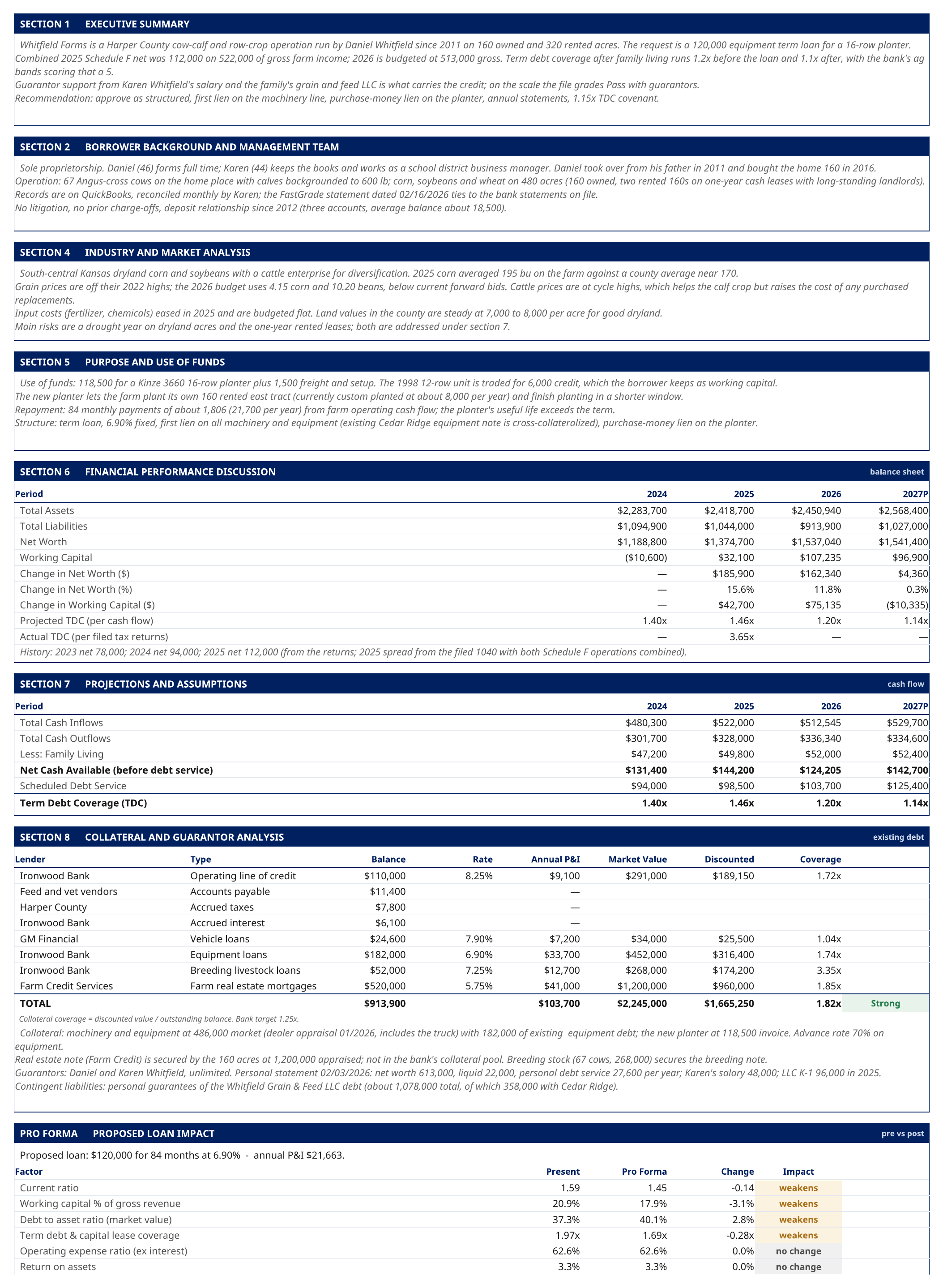
Four
The request is graded and the memo prints
Ratios are graded against your policy limits and the composite grade is calculated. The loan officer adds the narrative in their own words, then the memo generates from the spread with the policy stamp on the document.
Capabilities
What runs underneath every review
PFS templates
The statement that feeds the file
Send the borrower a personal financial statement built for their type of operation. Consumer, commercial, and agricultural versions each ask for what that borrower actually holds, which is why they come back complete instead of half filled.
When it comes back, one click imports it into the review. The credit department stops re-typing borrower financials.
See the templates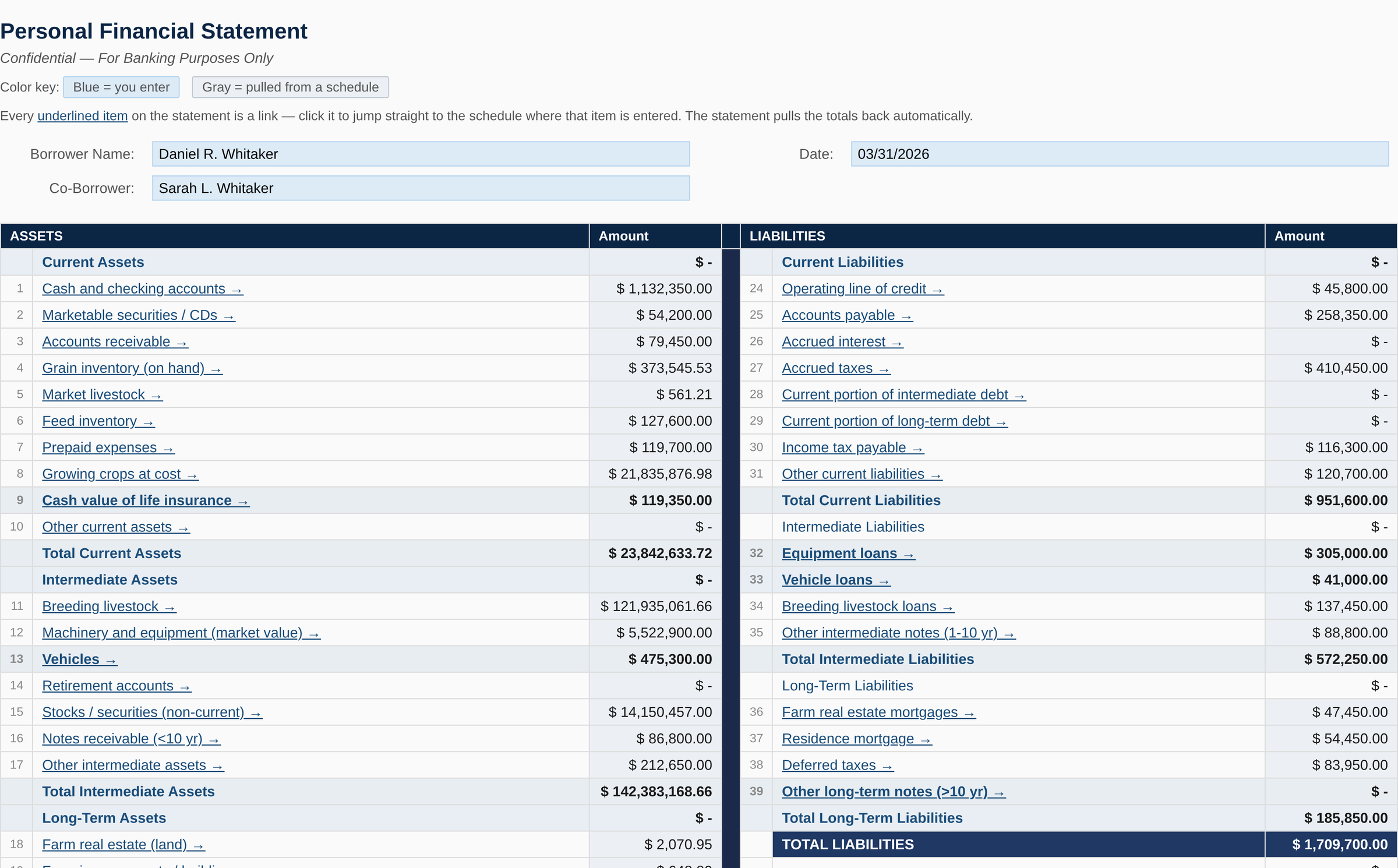
The record
Every writeup records the policy that graded it
When an officer prints a memo, the policy limits that produced the risk grade are recorded on the document, along with the date they were approved. If the policy tab is edited afterward, the document flags itself on the next print.
The examiner, the auditor, and the board can read the record without asking anyone to reconstruct it a year later.
How risk rating works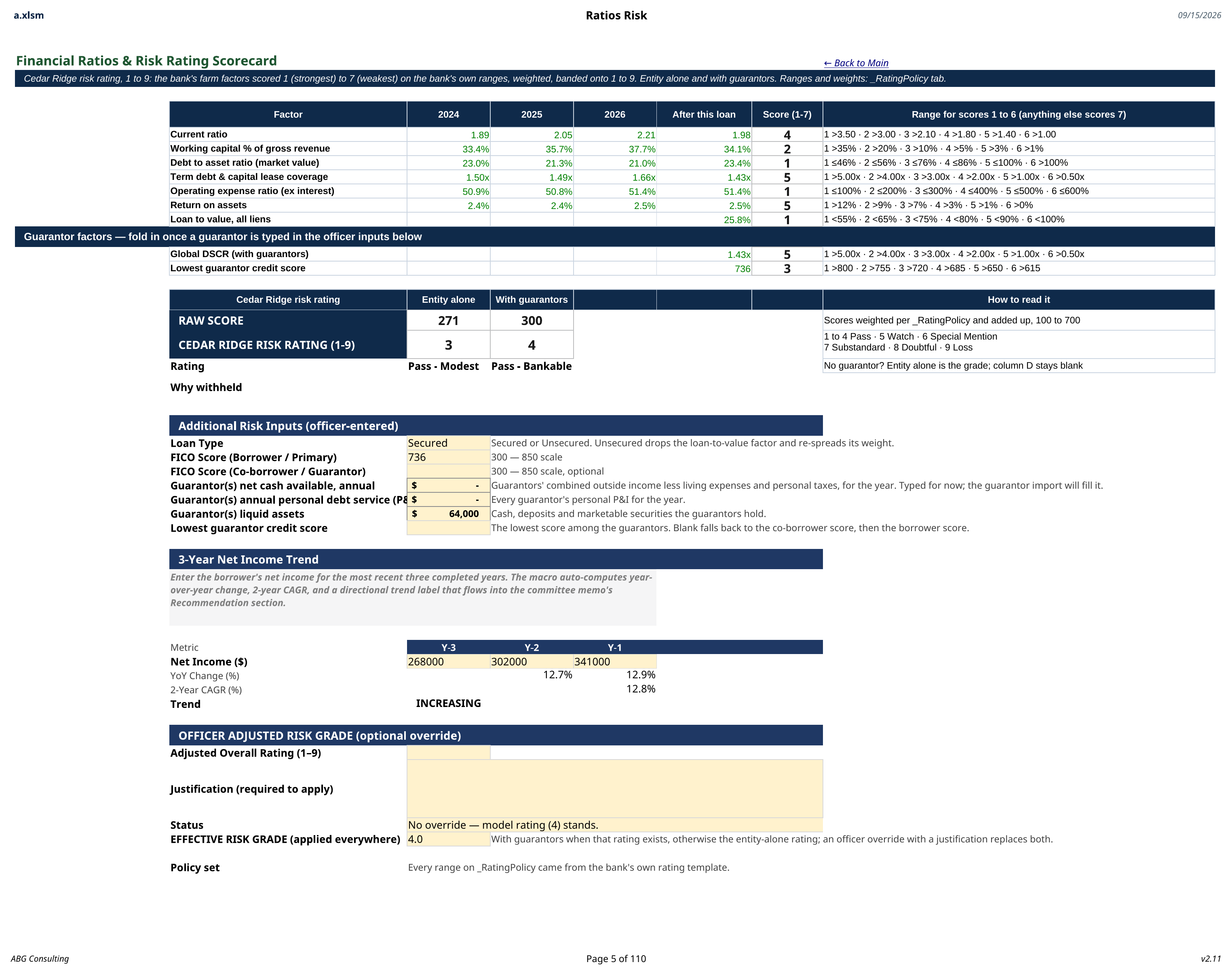
The case
Why credit departments choose it
No cloud. No exceptions.
It runs on the machines and the network you already have. No tenancy, no database, and no borrower data leaving the building.
Deploys in an afternoon.
Copy a folder to a network share and set your policy limits on one tab. Most banks are running the same day.
Policy is yours to control.
The grading limits live on a tab you own. Change a limit and every workbook follows immediately.
Audit ready by design.
Every printed memo records the policy set and the approval date, so the file explains itself later.
Built on real files.
Refined against real loan officer feedback on real credit files at a community bank, not in a demo environment.
Open and verifiable.
The VBA is unlocked and readable. A SHA-256 checksum ships with every release so your IT team can verify it.
See a complete credit file in 15 minutes
The walkthrough runs from the borrower statement through the import, the schedules, the risk grade, and the finished memo.